






This article provides a concise and helpful guide for small business owners on creating weather-related digital signs using Sho. It emphasizes the key features and benefits of using Sho for this purpose, making it a valuable resource for businesses looking to improve their communication during weather-related events.
Winter weather can wreak havoc on businesses of all sizes. Small businesses often face the challenge of quickly and effectively communicating weather-related closures or delays to their customers. Traditional methods like phone calls and social media updates can be time-consuming and may not reach everyone in a timely manner.
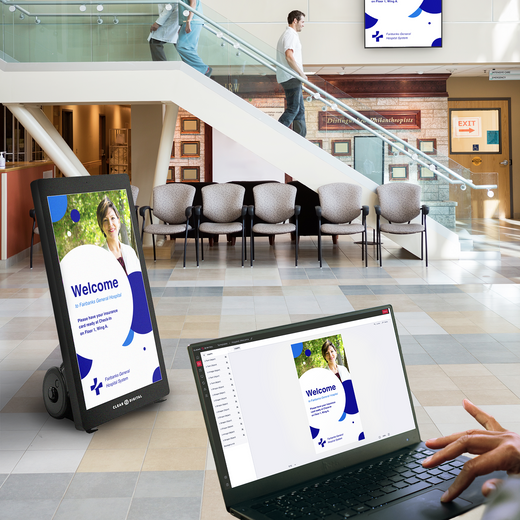
Clear Digital’s Content Management Software (Sho) offers a streamlined solution. With its intuitive interface, you can create eye-catching and informative weather closing signs from anywhere in minutes. Let us guide you through signage creation for weather-related messaging.
Here’s a quick guide to get you started:
1. Log in to SHO: Access your Sho account and navigate to the “Playlists Sign” page. Name and choose an orientation, such as “landscape” or “portrait” for your Playlist and then assign slides to your new Playlist, using the design tips below.
2. Create a Design: The graphic’s purpose dictates its design. For severe weather alerts, the message should be the focal point, potentially using a bold header with concise supporting information below.
Key Considerations:
- Style: Opt for simple shapes and layouts to avoid distractions from the critical message. Consider a minimalist aesthetic with clean lines and a limited color palette.
- Imagery: Use relevant imagery sparingly. A single, impactful photo related to the weather (e.g., snowstorm, flooding) can enhance the message.
- Color: Employ high-contrast color combinations for maximum visibility and readability.
- Font: Choose a clear, easy-to-read font that is both bold and legible.
3. Customizing Your Message:
- Clear and Concise: Use brief and impactful language. For example: “Closed Today Due to Snow.” or “Delayed Opening: 10:00 AM.”
- Include Essential Information: Specify the reason for the closure or delay (e.g., inclement weather, power outage).
Pro Tip: Let your audience know they can follow you to get real-time updates on your business.
4. Design Considerations: Choosing colors that stand out against the background and are easy to read is crucial for impactful design. Ensure the text is large enough to be easily visible from a distance. Choose a legible font size that people will be able to see from at least 10 feet away, such as Montserrat or Roboto. Remember to keep your design clean and uncluttered to avoid distracting from the key message.
5. Schedule and Publish:
- Immediate Updates: If the closure is immediate, publish the sign immediately.
- Scheduled Closures: If you anticipate a closure in advance, schedule the sign to appear at a specific time.
Pro Tip: If you have digital signage displays at multiple locations, easily schedule the same message across all devices. Follow us on our social media pages to stay up to date with all things Sho!
6. Monitor and Adjust: Ensure the information on your sign is accurate and up-to-date. Enlist the help of an associate or coworker to look over the design to get a second opinion and an extra pair of eyes. Once the design is published, you can adjust your messaging as needed.
Pro Tip: Weather Closing Sign
- Background: Red (for urgency)
- Text: “CLOSED TODAY” in large, bold white font.
- Subtext: “Due to inclement weather.”
By utilizing Sho’s user-friendly interface and powerful features, you can quickly and effectively communicate weather-related closures or delays to your customers, minimizing disruption and maintaining a positive customer experience.
Ready to streamline your weather communication? Contact Clear Digital today to learn more about Sho and how it can help your business.
https://www.getcleardigital.com/contact/
**Disclaimer: This is a general guide. Always consult the Sho user manual for the most up-to-date information and specific instructions
Creating a winter-weather related sign in Sho is as easy as “1, 2, 3!”