
Digital Signage
Digital Signage for Employee Communication
Commercial-grade displays, powered by Sho — built for your space.
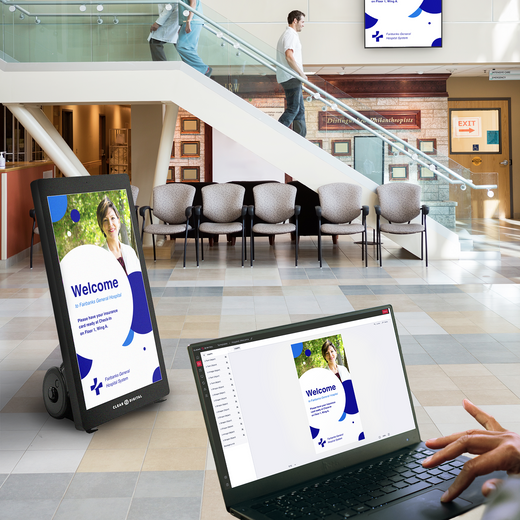
Breakroom and floor displays put safety updates, KPIs, and recognition where deskless teams actually see them. Schedule it once in Sho and every location stays current.

Evo™ Roll Digital A-Frame
$2,999.00 /
Evo™ Roll Pro Digital A-Frame
$4,499.00 /
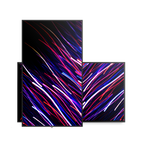
Evo™ Tall Digital A-Frame
$3,299.00 /
Evo™ Tall Pro Digital A-Frame
$4,799.00 /
Müv Pro Mobile Kiosk
$2,499.00 /
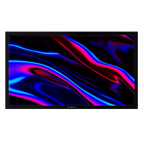
Nio Non-Interactive Display
From $999.00 /
Sho Digital Signage Software
From $149.00 /
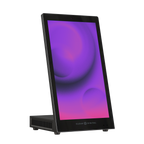
Tab Tabletop Touchscreen Digital Display
$999.00 /
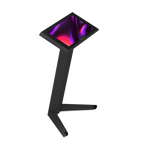
Tab Tall Touchscreen Digital Display
$1,699.00 /

Way Interactive Digital Signage
From $1,799.00 /
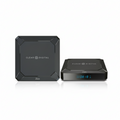
Zen Digital Signage Player
$249.00 /
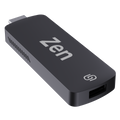
Zen Stick
$99.00 /


01
Built for Employee Communication
Commercial-grade displays rated for all-day use — not consumer TVs pushed past their limits.
02
Update screens in seconds
Sho software powers every display — change menus, promos, and messaging from one app, instantly.
03
US owned & operated
Award-winning hardware, real human support, and freight from our SC & NV warehouses.
FAQ
Common questions
Everything teams ask before putting digital signage to work in Employee Communication.
Is Digital Signage Better Than Email for Employee Communication?
Absolutely! Email requires employees to actively check their inbox, which may be impractical for workers on a floor, in a warehouse, or across a distributed facility. Digital signage for employees puts critical information where people already are, without requiring any action on their part. Content is always visible, can be updated in real time, and reaches every shift automatically.
What Kind of Digital Content Can I Display for Employees?
With our Sho CMS, you can display virtually any type of internal content, including live KPI dashboards, safety compliance reminders, company announcements, shift schedules, HR policy updates, emergency alerts, employee recognition spotlights, event countdowns, training reminders, and even live social media feeds. Sho supports JPEG, PNG, video, and document formats, and integrates with tools like Google Sheets, Canva, and PosterMyWall to make content creation fast and easy.
Can I Manage Screens Across Multiple Locations?
Yes, our Sho CMS is built for multi-site management. From one central dashboard, you can push content to every screen in your network, create location-specific messaging, group displays by department or facility, and schedule content to run at different times in different places.
How Easy Is It to Set Up Employee Communication Displays?
Most organizations are up and running the same day. The Zen Stick plugs directly into any existing TV or monitor, and Sho CMS takes minutes to configure with 100+ ready-made templates included. For larger deployments with new hardware, our onboarding team provides guided setup support so your team can go live on schedule. No lengthy IT implementation or dedicated technical staff is needed.
How Much Does Digital Signage for Employee Communication Cost?
The cost of digital signage for employees varies based on the number of screens, hardware type, and software plan. You can start affordably with the Zen Stick, which turns existing TVs into managed digital signs, and scale up as your needs grow. We recommend booking a free demo so our team can build a personalized recommendation and quote based on your facility size, team structure, and communication goals.
Talk to an expert
Book a Product
Consultation.
See the right displays for your space — hardware and Sho, live with a signage expert.