


Digital signage shows up almost everywhere, from the menu board at your coffee shop to the welcome screen in an office lobby. Real examples make it easier to picture what your own screens could do and where they fit best. The ten examples below span restaurants, retail, offices, schools, healthcare, and more. Use them to spark ideas for your own space, whatever your industry.
In This Guide
- Restaurant Menu Boards
- Retail Store Promotions
- Office Lobby Welcome Screens
- Mall and Campus Wayfinding
- School and Campus Announcements
- Healthcare Waiting Room Screens
- Gym Schedules and Motivation
- Hotel and Hospitality Displays
- Corporate Internal Communication
- Event and Trade Show Signage
1. Restaurant Menu Boards
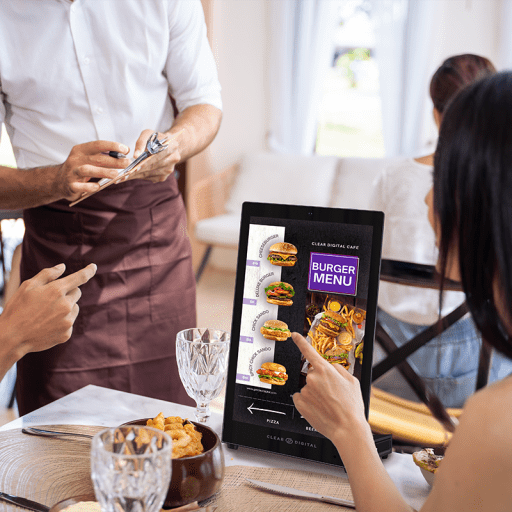
Restaurants and cafes use digital menu boards to speed up ordering and sell more. You can highlight combos, push high-margin items, and switch the menu by daypart so the board always matches the moment. It is the most common example you will see in the wild.
Swapping specials or hiding sold-out items takes seconds, which keeps the line moving during a rush. Our digital menu displays help busy kitchens keep every board current throughout the day, from the morning rush to the dinner crowd.
2. Retail Store Promotions
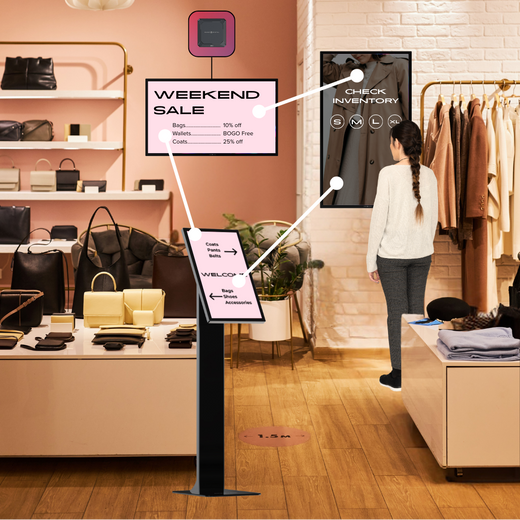
Retail stores use screens to push promotions and guide shoppers. A window display might loop a sale video to pull people in, while a screen near the register suggests add-ons. Some stores show product demos, reviews, or how-to clips that help people decide.
These screens turn a passing glance into a reason to buy. Keep the offer clear and easy to read from a few feet away. A short, bold message will always beat a busy screen packed with fine print. You can find screens made for this in our retail digital signage collection.
3. Office Lobby Welcome Screens
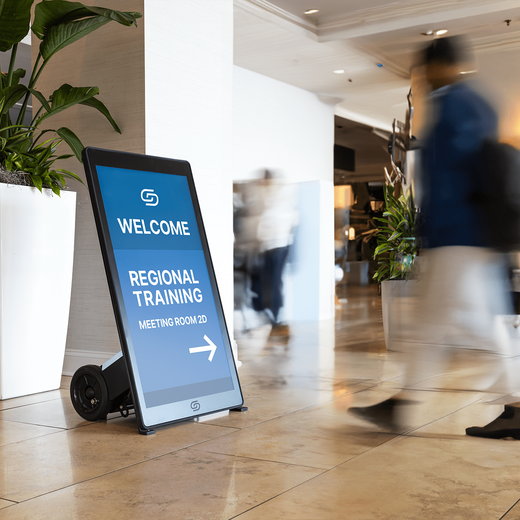
Office lobbies use digital signage to greet visitors and set a professional tone. A welcome screen might show the day's meetings, greet a visiting client by name, or share company news. It makes a strong first impression before anyone says a word, which sets the tone for the whole visit.
Personalize the screen for big meetings so guests feel expected and valued. A simple "Welcome, [Company]" message goes a long way. Knowing how digital signage works makes these lobby setups easy to plan and run.
4. Mall and Campus Wayfinding
Malls, hospitals, and campuses use wayfinding screens so visitors can get around on their own. A shopper can search for a store, a patient can find the right department, and staff field far fewer questions about directions. The payoff is a smoother visit and less strain on your front desk.
Place these screens at entrances and busy junctions where people stop to plan their route. In big spaces like airports and large campuses, they keep visitors from getting lost and needing to ask for help, which frees up your team for more important work.
5. School and Campus Announcements
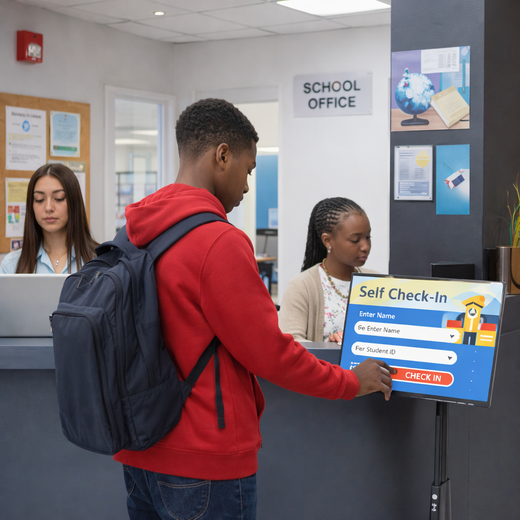
Schools place screens in hallways, cafeterias, and entrances to keep everyone informed. They share schedules, lunch menus, event news, and quick reminders. In an emergency, the same screens can push urgent safety alerts to every display at once.
Route safety alerts to every screen so no one misses them. The power to override normal content in an emergency is one of the most valuable features you can have. Our school and education displays are made for busy hallways, cafeterias, and common areas.
6. Healthcare Waiting Room Screens
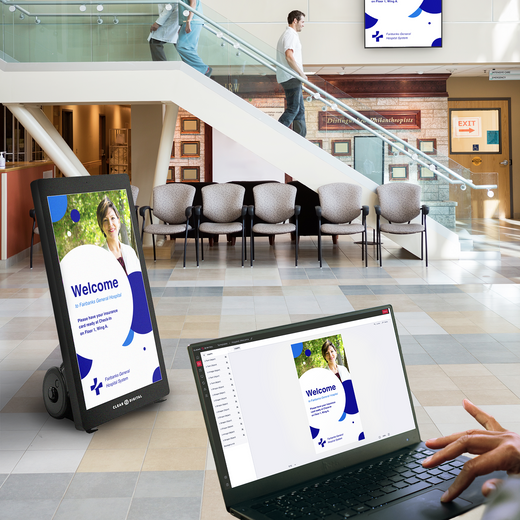
Clinics and hospitals use screens to make waiting easier and more informed. A waiting room display might show wait times, health tips, or calming content to ease nerves. It can also share check-in steps so patients know what to do.
Keep the tone calm and the text easy to read from a chair. Rotating helpful, low-key content keeps people relaxed without feeling like an ad. Soft colors and slow transitions work better here than bright, fast promos. This kind of screen improves the visit while cutting down on repeated questions at the desk. You can also share flu shot reminders, department hours, or new patient forms to keep things moving.
7. Gym Schedules and Motivation
Gyms and studios use digital signage to share class schedules, safety tips, and motivation. A screen near the entrance can show today's classes, open spots, and trainer info. Others loop workout tips or member wins to keep energy high across the floor.
Update class times the same day they change so members always trust the screen. Nothing annoys a member like showing up for a class that moved. Bright, active content fits the energy of a gym floor well.
8. Hotel and Hospitality Displays
Hotels use screens throughout the property to guide and inform guests. A lobby display might show event schedules, local weather, or dining hours, while smaller screens point the way to meeting rooms. This gives guests answers without a trip to the front desk.
Keep the content useful and current, since guests rely on it to plan their day. Highlight on-site dining or events to boost bookings and spend. Clean, branded screens also make the property feel modern and well-run. During big events or holidays, you can update every screen at once to match the occasion.
9. Corporate Internal Communication
Companies use digital signage to keep staff informed without a flood of emails. Screens in break rooms and hallways share goals, wins, safety notes, and reminders. Because everyone passes them, the message actually gets seen.
Keep internal content short and easy to scan, since people walk by quickly. Well-informed teams also feel more connected, since everyone sees the same news in real time. A headline and one clear point beat a wall of text every time. Rotating a few key updates keeps the screen fresh so people keep looking.
10. Event and Trade Show Signage
Events and trade shows use screens to draw a crowd and share info fast. A booth might loop a product demo, while larger displays show schedules, speaker info, or sponsor messages. Screens are easy to update on the fly as the event changes, so a last-minute room swap or schedule shift is no problem.
Use motion or video to stand out on a busy show floor. A moving screen pulls eyes far better than a printed banner. Choosing the right types of digital signage for the space helps your booth get noticed.
Ready to Build Your Own Digital Signage?
These examples span nearly every setting, from menu boards and store promos to office lobbies, schools, and trade show booths. The ones that work best keep the message simple, time it to the moment, and design it to be read in a glance. Studying screens in the wild is a great way to gather ideas for your own space.
The best way to turn these ideas into real screens is to see the platform for yourself. Our own CMS, Sho, helps you build, schedule, and update content across every screen you run. Book a free demo and we will give you a live walkthrough, suggest hardware for your space, and put together a custom quote.