

Digital signage works by sending your content from software to a screen through a small device called a media player. You upload images or video to the software, build a schedule, and the player pulls that content and plays it on the display. Because the system runs over your network, you can update any screen from your desk or phone. This guide walks you through each part and shows how content gets from your computer to the wall.
Key Points
-
Software, a media player, and a display work together to run signage.
-
You upload content once, then the player handles playback on the screen.
-
Everything connects over your network, so updates happen remotely.
-
Content follows a schedule, so the right message plays at the right time.
What Are the Parts of a Digital Signage System?
Before you can see how signage works, it helps to know the pieces that make it run. A full system uses three main parts plus a network to tie them together. Each part has one clear job, which keeps the whole setup easy to manage.
Here is what each part does:
-
Software: The platform where you upload content, build playlists, and set a schedule.
-
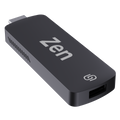
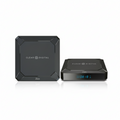
Media player: The device that stores your content and plays it on the screen. Our guide on digital signage players breaks down the types.
-
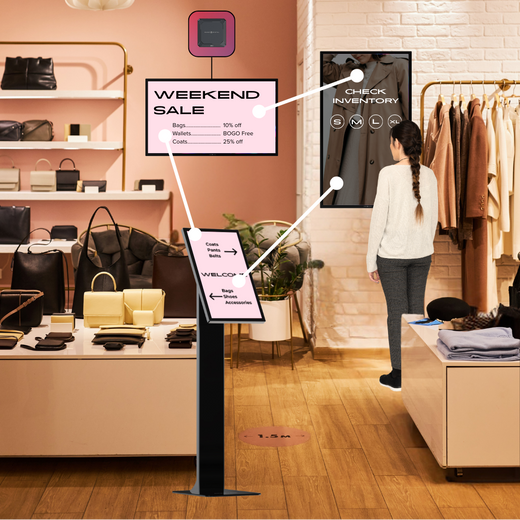
Display: The screen your audience sees, such as a TV, touchscreen, or video wall.
-
Network: The internet or local connection that links the player to your software.
When these parts work together, you get one system you can run from a single dashboard. Think of it like a team where each member has a clear role, from storing content to showing it on the wall. As long as each part is set up once, the system mostly runs itself after that. Tip: Keep your players on a stable network so content updates land on time. A weak connection is the most common reason a screen falls behind on its schedule.
How Does Content Get to the Screen?
Content reaches your screen through a clear set of steps that repeat every time you make a change. Once you understand the flow, it is easy to fix problems and plan new content. The process is the same whether you run one screen or hundreds.
The key thing to remember is that nothing plays straight from your computer to the screen. Your content first goes up to the software, and the software sends it to the player, which then runs it on the display. Each handoff is quick, so a change you make can show up on screen in moments.
Here is how your content travels from start to finish:
-
Create: You design images, video, or text for your screens.
-
Upload: You add that content to your software platform.
-
Schedule: You set when and where each piece should play.
-
Send: The software pushes your schedule to the right players.
-
Play: The player shows your content on the display, on time.
This loop means you never have to touch the screen itself to make a change. Each step happens in the background once you hit save, so a single update can reach one screen or a thousand at the same time. The flow stays the same whether you are changing a price or launching a whole new campaign.
Tip: Schedule content in advance so your screens stay fresh even on busy days. Planning a week or month ahead keeps your displays from going stale when you get pulled away.
What Does the Media Player Do?
The media player is the engine of the whole system, since it is the part that actually plays your content. It stores files locally, follows the schedule it gets from your software, and sends the picture to the screen. Some screens have a player built in, while others use a small external box, but the job is the same either way.
A good player keeps playing even if your internet drops for a while, because it holds a copy of your content on the device. That means a short outage will not leave your screen blank in front of customers. The player simply keeps running the last schedule it received until the connection returns and brings any new content with it. If you want a refresher on the basics behind all of this, our overview of what digital signage is ties the pieces together.
Tip: Choose a player that matches your content, since 4K video needs more power than simple images. Picking the right player up front saves you from choppy playback later.
How Do You Manage Content Remotely?
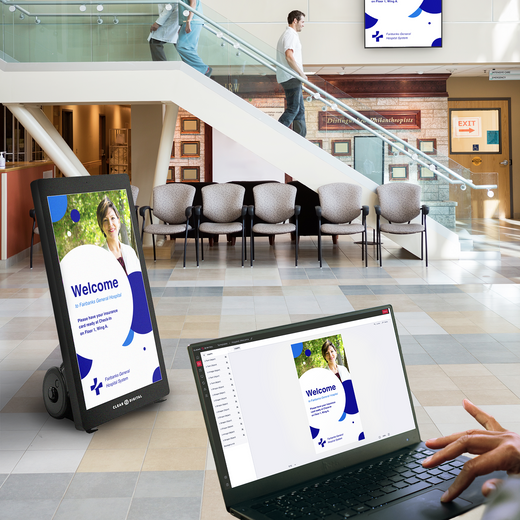
Remote management is what makes digital signage so useful, because you control every screen from one place. You log in to your software, pick the screens you want, and push new content in seconds. There is no need to visit each location or carry a USB drive from screen to screen.
Good software also lets you group screens, so you can send one message to every location or a different message to each. You can schedule by time, day, or even by which products are in stock. This is what lets a single person manage screens across many sites without ever leaving the office. Our guide on digital signage software covers the features worth looking for.
Remote control also makes problems easier to catch and fix. Many platforms show you which screens are online, what they are playing, and whether any have fallen offline. If something looks wrong, you can spot it from your dashboard instead of driving to the location.
Tip: Use screen groups to manage many displays at once instead of one by one. Grouping by location or purpose turns a big update into a single click, which saves real time when you run more than a handful of screens.
Ready to See It in Action?
Digital signage works by connecting software, a media player, and a display so your content flows from upload to screen without you walking up to it. You create content, schedule it, and let the player handle playback while you manage everything from one dashboard. The result is a system that stays current with very little daily effort.
Once you see the flow, the whole idea feels simple, since each part has one clear job. You stay in charge of the message, and the system takes care of getting it on screen at the right time and place. That balance is what makes signage easy to run even as you add more screens.
When you want to try it for yourself, our CMS, Sho, brings all of these steps into one easy platform. You upload, schedule, and manage every screen from a single login, and the system handles the rest. Book a quick Sho demo and watch your content go live on screen in minutes.