



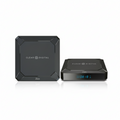

A digital signage player is the small device that stores your content and plays it on a screen. It takes the images, video, and schedules from your software and turns them into what your audience sees. Without a player, a screen is just a blank display with nothing to show. This guide explains what a player does, the types you can choose from, and how to pick the right one for your screens.
Key Points
-
A player is the device that runs your content on a screen.
-
It pulls content and schedules from your software, then plays them.
-
Players can be external boxes or built into the screen itself.
-
The right player depends on your content, budget, and number of screens.
What Does a Digital Signage Player Do?
A player has one main job, which is to play the right content on your screen at the right time. It stores your files locally, follows the schedule it gets from your software, and sends a clean picture to the display. Because it holds a copy of your content, it can keep playing even if your internet drops for a while.
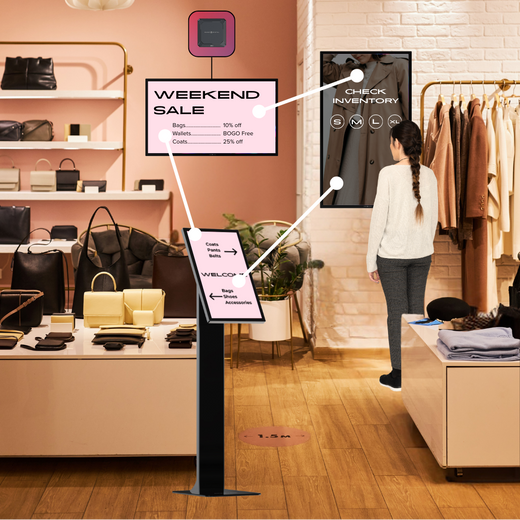
The player also handles the technical details that make content look right on screen. It sets the resolution, keeps video smooth, and switches between items in your playlist without a gap. For touchscreens, it reads the taps and swipes and reacts in real time, which turns a plain display into something people can use.
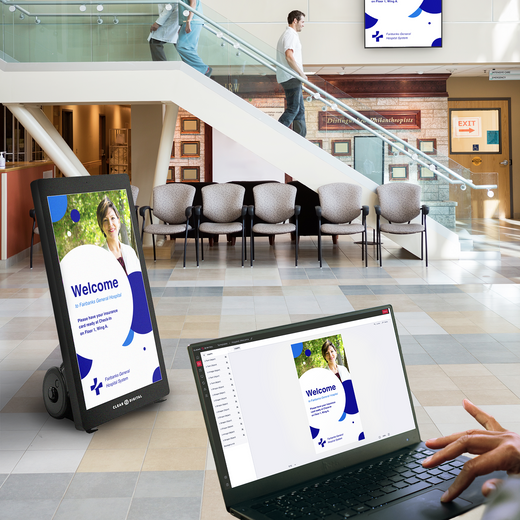
The player is the link between your software and your screen, so it does the heavy lifting behind the scenes. You rarely touch it after setup, since most changes happen in the software instead. It quietly checks for new content, follows your schedule, and keeps the picture running hour after hour. To see how it fits with the rest of the system, our guide on how digital signage works shows the full flow.
Tip: Pick a player that holds enough storage for your largest playlists. Running out of local storage is a common cause of skipped or frozen content.
What Types of Players Are There?
Players come in a few common forms, and each one fits a different setup. Knowing the options helps you avoid paying for power you do not need or buying something too weak for your content. Most businesses end up choosing based on screen count and the kind of media they run.
The good news is that you do not have to be a tech expert to choose. Once you know whether you are running simple images or heavy video, the right category becomes clear pretty fast. From there, it is mostly about picking a trusted brand and confirming it fits your space.
Here are the main types you will see:
-
External media player: A small box that plugs into any screen and gives you full control.
-
System on chip (SoC): A player built right into the screen, with no extra box needed.
-
PC-based player: A small computer that handles heavy content like interactive or 4K video.
-
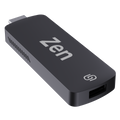
Stick or dongle player: A tiny, low-cost device for simple images and basic playlists.
Each type works with most modern software, so you are not locked into one brand. The right pick usually depends on how heavy your content is and how many screens you plan to run. A single lobby screen has very different needs than a row of menu boards or a large video wall. Tip: For simple menus or promos, a basic player is often all you need. Save the powerful options for video walls or touchscreens that demand more processing.
Do You Always Need a Separate Player?
You do not always need a separate box, because some screens have a player built in. These are called system on chip, or SoC, displays, and they run your content right inside the screen. For many small setups, that is enough and keeps your install clean and simple.
Built-in players save space and cut down on cables, which is handy for tight spots like a counter or a wall mount. The trade-off is that the player and the screen are tied together, so you cannot upgrade one without the other. They also tend to have less power, which can matter once your content gets more demanding.
A separate player makes more sense when you want extra power, longer support, or the freedom to upgrade later without buying a new screen. External players also tend to handle demanding content better, such as 4K video or interactive touch. They give you one more advantage too, since you can move the player to a new screen if a display fails. Either way, the player still needs signage software to tell it what to show.
Tip: Choose a built-in player for simple needs and an external one when you plan to grow. Thinking ahead here saves you from replacing hardware sooner than you want.
How Do You Choose the Right Player?
Choosing a player comes down to matching the device to your content and your plans. A screen that only shows still images needs far less power than a video wall or a touch display. Buying the right amount of power keeps your screens smooth without wasting money. It also helps to think a year or two ahead, since the cheapest option today can cost more if you outgrow it fast. If you are still mapping out your whole setup, our overview of what digital signage is puts the player in context with the rest.
Run through these questions before you buy:
-
What content will you play? Still images need less power than video or interactive media.
-
How many screens do you have? More screens may call for sturdier, business-grade players.
-
What is your budget? Match the player to your needs instead of the top tier by default.
-
Will you expand? Pick a player that can grow with you to avoid early replacements.
Answering these keeps you from overspending or running into limits later. Tip: Confirm your player supports your software before you buy. A quick compatibility check now prevents the headache of returns and reinstalls, and it makes sure your screens work on day one.
Ready to Power Your Screens?
A digital signage player is the device that turns your software and schedule into the content people actually see. Whether you choose a built-in screen, an external box, or a full PC-based setup, the right player keeps your displays smooth and reliable. The best choice always comes back to your content, your screen count, and your plans to grow. Get that match right, and your player will run quietly in the background for years.
When you want a player and platform that just work together, our CMS, Sho, takes the guesswork out of the setup. You get hardware and software that are built to run as one, so there is no hunting for compatible parts. See Sho in action with a quick demo and get your screens running today.