

Digital signage software is the platform you use to upload, schedule, and manage all the content on your screens. It is the control center where you decide what plays, when it plays, and which displays show it. Without software, your players and screens would have nothing to run and no way to update. This guide explains what the software does, the features worth looking for, and how it connects to the rest of your system.
Key Points
-
Software is the control center for everything on your screens.
-
You upload content, build playlists, and set schedules in one place.
-
It connects to your players over the network to push updates.
-
The best platforms make remote management and scheduling simple.
What Does Digital Signage Software Do?
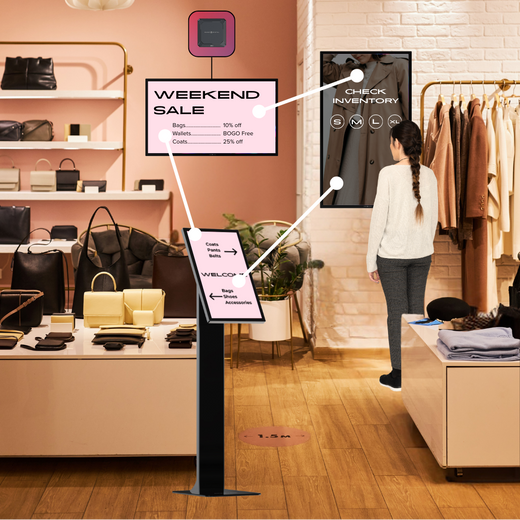
The software is where all of your signage work happens, so it does far more than store files. You upload images and video, arrange them into playlists, and set a schedule that tells each screen what to show and when. Then the software sends those instructions to your players, which handle the playback.
It also does a lot of work you never see. The platform keeps your content organized, tracks which screens are online, and makes sure each display is running the version you meant to publish. Some platforms can even swap content based on the time, the weather, or what is in stock, so your screens stay relevant without daily edits from you.
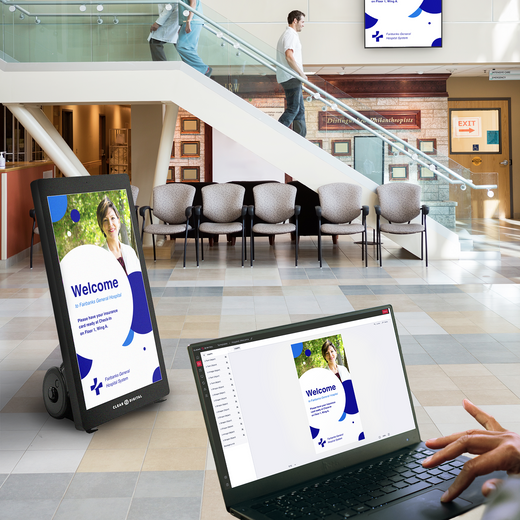
Good software also lets you manage many screens from one dashboard instead of one at a time. You can group displays, push a single message everywhere, or send a different message to each location. Most of the work happens with a few clicks, since the platform handles the technical side for you. If you are new to the whole setup, our overview of what digital signage is explains how the pieces fit together.
Tip: Look for software that lets you preview content before it goes live. A quick preview catches sizing and timing mistakes before your customers ever see them, and it gives you the confidence to publish fast.
What Features Should You Look For?
Not all platforms offer the same tools, so it pays to know what matters before you choose. The right features save you time every week and keep your screens looking sharp. Focus on the tools you will actually use rather than a long list you will ignore.
It also helps to think about who will run the software day to day. A platform that a busy manager can learn in an afternoon will get used far more than one that needs a trained specialist. Ease of use is a feature in its own right, even if it never shows up on a spec sheet.
Here are the features worth checking for:
-
Easy scheduling: Set content by time, day, or location without extra steps.
-
Screen groups: Manage many displays at once instead of one by one.
-
Templates: Build clean layouts fast without a designer.
-
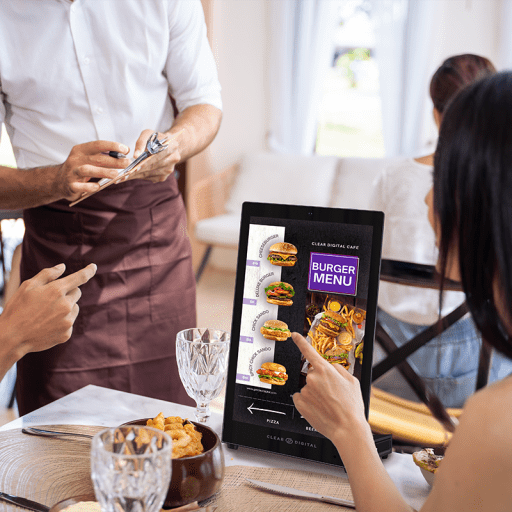
Live data feeds: Show menus, prices, weather, or social posts that update on their own.
-
User roles: Control who can edit content at each location.
A platform with these tools grows with you instead of holding you back. It is easy to be drawn in by a long feature list, but the tools you use every week matter far more than the ones you try once. Think about your daily tasks first, then check that the platform makes those tasks fast. Tip: Pick software that fits your team's skill level, not just its feature list. The most powerful platform is useless if your staff finds it too hard to update.
How Does the Software Connect to Your Screens?
The software does not talk to your screens directly, since it connects through a media player. You make changes in the software, and the platform pushes those changes to the player over your network. The player then shows your content on the display, on schedule.
This split keeps each part doing what it does best. The software handles planning and control, the network carries the updates, and the player takes care of steady playback at the screen. Because the pieces are separate, you can change one without replacing the rest, such as upgrading a player while keeping the same software.
This setup is what lets you manage screens from anywhere, because everything runs through the software and the network. You can update a screen across the building or across the country from the same login. The player and the screen handle the playback, while the software stays your single point of control. To learn more about the device in the middle, see our guide on digital signage players.
Tip: Make sure your software supports your players before you commit. Confirming compatibility early keeps your setup smooth and avoids surprise costs.
Cloud or On-Premise: Which Is Better?
Most software runs in one of two ways, and each has clear trade-offs. Cloud software lives online, so you can log in from any device and let the provider handle updates and backups. On-premise software runs on your own servers, which gives you more control but also more upkeep.
Here is a simple way to compare them:
-
Cloud: Easy to access anywhere, fast to set up, and updated for you. Best for most businesses.
-
On-premise: More control and data kept in-house, but it needs your own IT support.
Many businesses choose cloud software because it lowers the daily workload and scales without new hardware. You can add screens and locations as you grow, and the provider keeps the platform secure and up to date in the background. On-premise still has a place for teams with strict data rules or limited internet, but it asks more of your IT staff in return. If you want a deeper look at how content moves through either option, our guide on how digital signage works walks through the flow. Tip: Choose cloud unless you have a strong reason and the IT team to run on-premise. For most teams, the lower upkeep is worth far more than the extra control.
Ready to Try Our Software?
Digital signage software is the platform that ties your whole system together, from the content you upload to the schedules you set across every screen. The right software makes remote management simple, keeps your displays fresh, and grows with your business. When you focus on the features your team will truly use, the platform pays for itself in saved time. It quietly becomes the tool you rely on most, since every screen runs through it.
Our CMS, Sho, is a cloud-based platform built to keep this part simple, so you can upload, schedule, and manage everything from one login. You stay in control of every screen without the upkeep of running your own servers. Book a quick Sho demo and see how easy your screens can be to run.